

Google plus Part I
Currently Google+ is in its preliminary developmental stages and is in its Limited Field Trial. This means that Google+ is only avaliable to test run for a limited number of people. Unfortunately I was not cool enough to be one of those select few to preview the search engine king’s newly anticipated social media platform, Google+. However, you can provide your email address at Google+’s homepage for a possibility to be added to the list. Despite being rejected from this elite community of cyber-geeks, I did take the trial and I want to shared some of the new features that I found interesting.
Most of us want to know how this will effect out business, but in order to implement Google+ into our social media marketing campaigns, we need to understand the basic ins and outs of Google+’s features.
Google+ Integration with Google.com
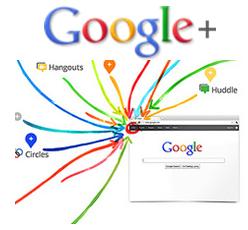
I’m sure that all of you are familiar with Google’s new format. Their is a black bar running across the top of the homepage with options to check mail, go to maps, search, etc. Well of course in order to log into Google+, you can simply go to Google.com, and their will be an additional tab marked as +you. This is one of the obvious advantages that Google+ will have over Facebook, its integration with its powerful search engine. Facebook had a huge running start, but it won’t be long before Google+ is able to catch up.
Google+: Circles
Its a must that we start the feature’s discussion with Google+ Circles, its most hyped feature since the first mention of the platform. Basically, it allows the users to group their network into different categories, for example: friends, family, alumni, musicians, writing group, etc. So if you post some new pictures, you can customize who sees them.
Sound familiar? Yes, Facebook Lists are very similar, but Google+’s Circles also allows you to customize your profile so that each circle sees something different when they view your profile. In life we share different information with different people, so this allows our online conversations to mirror our reality.
Google+: Hangouts
This is my personal favorite feature of Google+, Hangouts. Hangouts allows you to video conference with up to 15 of your friends that are online. You can start a Google+ Hangout by clicking the blue Start a Hangout button on your screen. You will then be redirected to a green room, where you can set up your camera settings and choose people or circles to invite to your hangout. Finally you will click the green Hangout button to broadcast your video.
You decide who to invite to your Google+ Hangout in the first place, but then others can easily post the Hangout URL on their blog for others to click and join. After you’ve decided to start a Hangout, you can invite additional people simply by clicking on the Invite button on the bottom of your Hangout window.
Hangout is also linked to YouTube, so everyone in a Hangout can watch a YouTube video together by clicking on the YouTube button. Once you start the video, everyone is muted, in order to talk you’ll need to click the Push to Talk button below the YouTube video, but this will mute the video to prevent echos.
So yeah, its like Skype made a digital baby with Facebook and named it Google+ Hangouts.