

How to Add a Facebook Send Button to WordPress
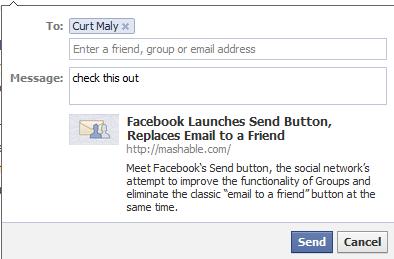
Yesterday, Black Box Social Media reported about a new social media optimization tool that Facebook had added a new feature called the Facebook Send Button, whose purpose is to make sharing information with Facebook friends easier than before. Unlike the ‘Like’ button, which is a public display of approval, the Facebook Send button is intended to be a way to share information in a more private manner.
Unfortunately the instructions on how to add a Facebook Send Button to your website did not work if you have a WordPress site. As such, we have found a way to do this. Thanks to the good folks at WordPress, Multisite, and Buddysystem (WPMU.org), we can share with you how to add a Facebook Send button to WordPress in 4 simple steps.
How to Add A Facebook Send Button | Step 1- Copy Code
Copy the following code:
<div id=”fb-root”></div>
<script src=”http://connect.facebook.net/en_US/all.js#xfbml=1″></script>
<fb:like href=”<?php echo get_permalink(); ?>” show_faces=”true” width=”450″ send=”true”>
</fb:like>
How to Add A Facebook Send Button | Step 2- Find you CSS file
- Go to Appearance > Editor in your site’s dashboard.
- For you MultiSite network administrators you would go to Network Admin > Themes > Editor.
- You could also do the following using your favorite FTP client.
How to Add A Facebook Send Button | Step 3- Find the loop
Look for loop-single.php or single.php. This will depend on the theme you are using, but what we are looking for is known as the loop.
How to Add A Facebook Send Button | Step 4- Paste the code
- Paste the code from step 2 somewhere in the loop.
- Do a CTRL-F search for “entry-content” and paste it right above the <div> to put the like and send buttons before all of the text in your post.
Or, you can go to your plug-ins and perform a search for ‘Facebook Send Button’, which should shortly yield results.