
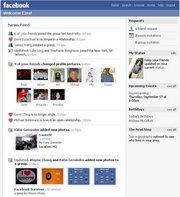

Customize Your Facebook News Feed
Wouldn’t it be great if you could customize your Facebook news feed so that you only saw what mattered to you every time you opened Facebook? Well we are going to show you how to do just that and it doesn’t involve removing any friends or developer skills. We know how important it is for you to have a lot of people in your network especially if you’re using Facebook for your business, but being able to customize your Facebook News Feed is going to really help you get what you need out of Facebook without having to sift through all of the garbage.
Customize Your Facebook News Feed | Tips You Can’t Live Without
- Sort Your Posts –
- This is a very easy way to customize your Facebook News Feed and see whats going viral. Simply click Sort at the top right corner of your home page and from here you can sort your stories by “Most Recent” or “Top Stories.”
- Block Posts – Here is a tip that you won’t be able to live without. So if you’re using Facebook as part of your business, then you probably want as many friends as you can possibly have, so defending people really isn’t an option. However you may not want all of their pointless status updates. Here’s what Mashable recommends in their story on how to customize your Facebook News Feed: “If you’re seeing too many updates from one person, you can edit what it is you see. In your news feed, hover over a post from your noisy friend and a small box with an arrow in will appear in the top right hand corner. Click this and you’ll get a menu. Now you can change what you see in your feed from this particular friend. You can choose to see only “important” updates (again, this will be determined by Facebook) or choose to unsubscribe entirely.
- Mute a Page – There are also some pages that you feel you might need to follow, however you don’t necessarily want to see their posts either. Just hover over the post, click on the arrow, and click “Hide All,” this can also be done with Applications.
- Edit Settings – If you happen to wish to resubscribe to some of these services again, you can simply go to your Home page where it says News Feed and click on the pencil. From here you can click Edit Settings and click the “X’s” beside the apps, friends, or pages that you’d like to begin seeing posts from again.
- Manage Subscriptions – Now there are some folks out there that you’d like to see some posts from, but would rather not see all of their Farmville updates. Not a problem, just go to their page and click on “Subscribed” and then unclick the updates that you’d like to remove from your News Feed.
Customize Your Facebook News Feed | Conclusion
So now you know how to customize your Facebook news feed without any of your customers being offended by de-friending. Any readers have any further suggestions on how to customize your Facebook News feed?
Image attribution: