

Enable Facebook’s Timeline
Enable Facebook’s Timeline
Everyone out there is very eager to go ahead and enable Facebook’s Timeline. As a matter of fact, you may have actually already been prompted to add apps to your Facebook Timeline, but wait where is it? If you’re excited as we are to enable Facebook’s Timeline then you’ve come to the right place. Well have the new stalker feature on your Facebook in no time, I mean…
Enable Facebook’s Timeline
First and foremost if you’d like to enable Facebook’s Timeline, you’ll need to either verify your mobile phone number or credit card number with Facebook, and you’ll find that process a little tricky. That’s because when you click Mobile Phone, you’ll be redirected to My Account->Mobile-> Activate a Phone. You can’t enable Facebook’s Timeline here because it only offers you one option, “Register for Facebook Text Messages.”
Have no worries we found some techies over at the Alin Cristian Joita blog that helped us figure out how to add your mobile phone so you can enable Facebook’s Timeline.
1. Go to this address: http://www.facebook.com/confirmphone.php/ and input your phone number
2. You will receive an SMS with the confirmation code and a link
3. The confirmation code will probably generate an error (“Sorry, that was an invalid confirmation code”) – this is hilarious isn’t it? – but if you follow the link on your mobile, the phone will be activated.
Most helpful resources should have been on Facebook.com, but they were found on: http://jesperastrom.com/facebook/
Update:
It seems that this error is affecting the Facebook developer community a lot.
If your account still doesn’t work, add your phone number at: https://www.facebook.com/update_security_info.php
http://main.alincristianjoita.com/?p=248
So now that you’ve settled that, lets go onto the next steps to enable Facebook’s Timeline.
Enable Facebook’s Timeline | Steps
We found these useful tips on how to enable Facebook’s Timeline on Mashable. Even though its a bit of a pain, if you’re a small business, you’ll want to know exactly how Timeline works so that you know how to implement marketing strategies accordingly:
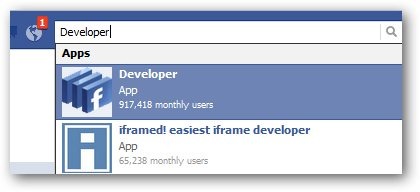
First, you’ll need to go to the Facebook developer page, which is a part of your Facebook account. Make sure you’re logged into your Facebook account, and then simply follow this link to get started.
http://mashable.com/2011/09/22/how-to-facebook-timeline/
After that this is what you’ll need to do:
- Click the “Allow” icon
- Then click “Create New App”
- Name your app anything you’d like and then click “I agree to the platform privacy policy.” And then click “Continue.”
- On the next page go ahead and click “Open Graph” on the left side.
- Next you’ll see “Get Started with Open Graph,” fill in the text boxes with anything and click “Get Started.”
- Scroll down the next screen, ignoring the text boxes and click “Save Changes and Next.”
- After you reach the next page, go back to your Facebook homepage and wait to be invited to join Facebook Timeline.
- Just click “Get It Now,” and you’re in. After that you can go ahead and input your customizations.